HESCO Bill Blocked? Here’s Why It Happens and How to Fix It Fast
If your HESCO bill shows “no record found,” won’t generate, or your connection has been cut off, this guide walks you through every reason it happens and the exact steps to get it sorted — without visiting the office twice.
A blocked HESCO bill is one of the most common frustrations for electricity consumers across Hyderabad, Mirpurkhas, Sukkur, and the wider Sindh region served by the Hyderabad Electric Supply Company. In most cases, “HESCO bill blocked” means one of three things: your online bill search shows no result, an unpaid balance has triggered a hold on your account, or the connection has been physically disconnected for non-payment or a technical review. Each situation has a specific, fixable cause, and understanding which one applies to you is the first step toward getting your electricity bill and supply restored.
This guide breaks down exactly why HESCO bills get blocked, how to check your bill status online, what steps to take to unblock it, and how to avoid the same problem next month. Whether you’re a homeowner in Latifabad, a shopkeeper in Qasimabad, or managing a commercial connection in Sukkur, the process described below applies to you.
What Does “HESCO Bill Blocked” Actually Mean?
The phrase gets used loosely by consumers, but it typically covers three distinct scenarios. Knowing which one you’re facing saves you a wasted trip to the billing office.
1. The Online Bill Portal Shows “No Record Found”
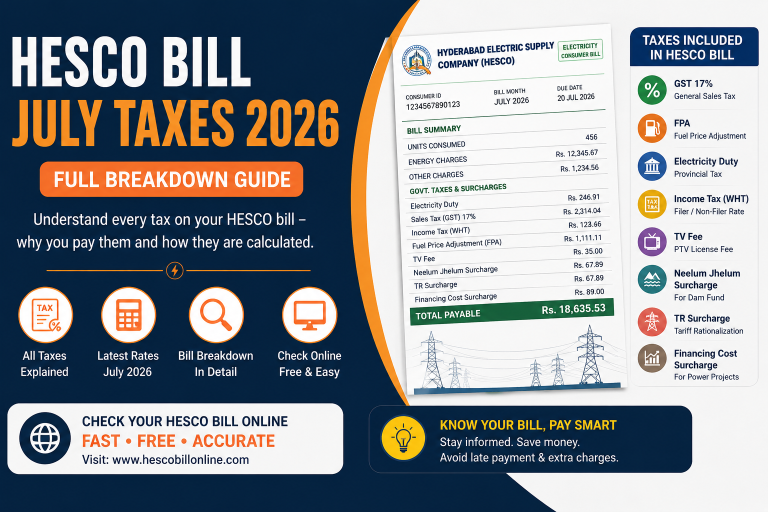
You enter your reference number on a bill-checking site and get an empty result. This usually means the current month’s bill hasn’t been uploaded to the system yet, or the reference number you typed doesn’t match what HESCO has on file. Before assuming anything is wrong, re-check your reference number using the HESCO Reference Number guide.
2. Your Account Has an Active Recovery Hold
If previous bills were left unpaid, HESCO’s system can flag the account, which stops the next bill from being generated normally until the arrears are cleared or a payment plan is agreed with the sub-division office.
3. The Physical Connection Has Been Disconnected
This is the most serious version. Field teams disconnect the meter for prolonged non-payment, suspected meter tampering, or a pending inspection. In this case, the bill isn’t just “blocked” on screen — the supply itself is cut.
Common Reasons Your HESCO Bill Gets Blocked
Here are the most frequent causes reported by consumers, based on patterns seen across HESCO’s service area:
- Unpaid previous bill: One or more overdue bills automatically restrict the next billing cycle.
- Wrong or outdated reference number: A 14-digit reference number changes when meters are replaced or accounts are re-issued; using an old one returns no result.
- Meter reading not yet uploaded: Field staff sometimes submit readings late, delaying bill generation for an entire feeder area.
- Server or website downtime: Like most utility portals, the HESCO billing system occasionally goes offline for maintenance.
- Pending name transfer or ownership change: Bills can pause while a connection is being transferred to a new owner or tenant.
- Suspected meter tampering or theft case: Accounts under investigation are frozen until a formal inspection report is filed.
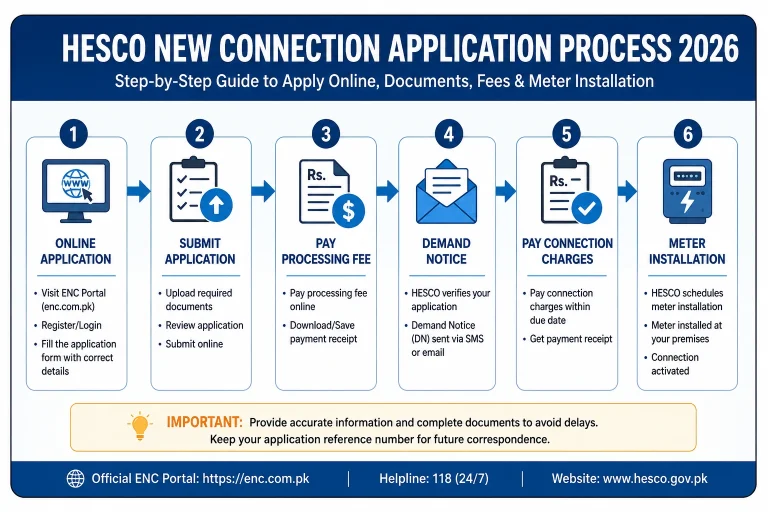
- New connection not yet activated in billing software: Recently sanctioned connections can take one or two cycles to appear online — see the HESCO New Connection guide for what to expect.
| Reason | What It Means for You | How to Fix It |
|---|---|---|
| Unpaid dues | System holds new bill until balance clears | Pay outstanding amount at bank, ATM, or via mobile app |
| Wrong reference number | “No record found” on bill search | Confirm your correct 14-digit reference number |
| Reading not uploaded | Bill missing for current month | Wait 3–5 business days or report to local office |
| Website/server issue | Portal shows error or timeout | Retry later using the bill checker |
| Name transfer pending | Bill generation paused during ownership change | Complete the transfer application at the sub-division office |
| Tampering investigation | Account frozen pending inspection | Cooperate with inspection team; appeal if wrongly flagged |
How to Check Your HESCO Bill Online (Step by Step)
Before assuming your bill is blocked, always confirm the status through an official or trusted bill-checking channel. Here’s the simplest way to do it:
- Locate your 14-digit reference number from a previous paper bill or SMS — or follow the reference number guide if you can’t find it.
- Go to the HESCO Bill Online bill checker and enter the reference number exactly as printed.
- Click “Check Bill” and wait a few seconds for the system to fetch your latest bill.
- If a bill appears, click “Open My Bill” to view the due amount, due date, and download or print it.
- If no record appears, note the error and move to the troubleshooting steps below.
How to Unblock or Restore a Blocked HESCO Bill
Once you’ve confirmed the actual cause, here’s how to move forward:
If Dues Are the Problem
Clear the outstanding balance through any authorized bank branch, ATM, mobile wallet, or online banking service that supports HESCO bill payments. Keep the payment receipt — you may need to show it at the sub-division office to have the hold lifted manually.
If the Connection Was Disconnected
Visit your local HESCO sub-division (SDO) office with your CNIC, the account or reference number, and proof of payment. Reconnection charges may apply depending on how long the supply was cut. Ask for a written reconnection order so field staff act on it quickly.
If It’s a Technical or Reference Number Issue
Verify your correct reference number and re-check your bill using the checker on the homepage. This resolves the vast majority of “no record found” cases within a single attempt.
HESCO Duplicate Bill: When and How to Get One
A duplicate bill is simply a reissued copy of your electricity bill, useful when the original is lost, damaged, or not showing up online. You can get one in two ways:
- Online: Search your reference number on the HESCO bill checker, click “Open My Bill,” then use Ctrl+P (or Cmd+P on Mac) and choose “Save as PDF” to download a printable duplicate instantly.
- In person: Visit the nearest HESCO customer service center with your CNIC and old bill or account number.
A duplicate bill carries the same due date and payment details as the original, so there’s no penalty for requesting one.
Understanding HESCO’s Billing Cycle and Tariff Slabs
To fully understand why a bill gets blocked, it helps to know how HESCO generates it in the first place. Each month, meter readers visit your area and record usage on a fixed schedule, usually between the 1st and the 20th of the month depending on your feeder. That reading is uploaded to HESCO’s central billing system, which calculates charges based on your consumer category — residential, commercial, industrial, or agricultural — and the applicable tariff slab set by NEPRA.
Residential consumers are billed on a slab system, meaning the rate per unit increases as consumption rises. This is why two households using different amounts of electricity in the same street can see very different per-unit rates on their bill. If a reading is delayed, skipped, or flagged as inconsistent with your historical usage, the system may hold the bill for manual review instead of generating it automatically. This is one of the lesser-known reasons behind a “blocked” or missing HESCO bill, separate from unpaid dues.
Consumers sometimes assume a missing bill means they owe nothing, but that’s rarely the case. The billing cycle simply resumes once the reading or system review is complete, and any unbilled units are usually rolled into the next invoice. Keeping a rough note of your own meter reading each month can help you catch discrepancies early and raise them with your sub-division office before they escalate into a blocked account.
HESCO Online Payment Methods Explained
Once you’ve confirmed your bill amount, Pakistan’s banking and telecom ecosystem offers several convenient ways to pay without standing in line:
- Mobile banking apps: HBL, MCB, UBL, Meezan, and Allied Bank all let you pay HESCO bills directly by scanning the barcode or entering the reference number.
- Mobile wallets: EasyPaisa and JazzCash support HESCO bill payments and instantly update the payment status in most cases.
- ATM machines: Nearly all major bank ATMs across Hyderabad and Sindh accept utility bill payments, including HESCO.
- Bank branch counters: National Bank of Pakistan (NBP) and other scheduled banks still work for consumers who prefer paying in person, especially for overdue amounts that need manual verification.
- Authorized franchise outlets: Many local shops registered as bill collection points also accept HESCO payments, particularly useful in areas with limited banking access.
Whichever method you choose, always keep the payment confirmation, whether it’s an SMS, app receipt, or printed slip. If your account shows as blocked even after payment, this proof is what speeds up manual verification at the sub-division office.
HESCO Compared to Other Distribution Companies (DISCOs)
HESCO is one of several regional distribution companies operating under Pakistan’s power sector structure, alongside K-Electric (which serves Karachi separately as a vertically integrated utility) and other DISCOs such as SEPCO, MEPCO, LESCO, GEPCO, FESCO, PESCO, and IESCO. Here’s a quick comparison of how billing generally works across them:
| DISCO | Province | Coverage Area |
|---|---|---|
| HESCO | Sindh | Hyderabad, Sukkur, Mirpurkhas, Larkana, Nawabshah |
| SEPCO | Sindh | Sukkur, Khairpur, Shikarpur |
| LESCO | Punjab | Lahore and surrounding districts |
| MEPCO | Punjab | Multan, Bahawalpur, D.G. Khan region |
| K-Electric | Sindh (Karachi) | Karachi and surrounding areas |
Understanding this context matters because the underlying billing infrastructure — run through Pakistan’s Power Information Technology Company (PITC) — and NEPRA regulations are broadly similar across DISCOs, even though HESCO’s specific portal and sub-division processes are what actually apply to you as a HESCO consumer.
What to Do If Your Electricity Was Disconnected After a Blocked Bill
Disconnection is HESCO’s last resort for chronic non-payment, but it’s reversible. Follow this order of steps:
- Confirm the exact outstanding amount at the sub-division office or via the online bill checker.
- Clear the payment, including any late payment surcharge (typically around 10% of the bill amount).
- Submit the paid receipt and request reconnection in writing.
- Ask for a reconnection timeframe — this is typically same-day to 48 hours once dues are cleared.
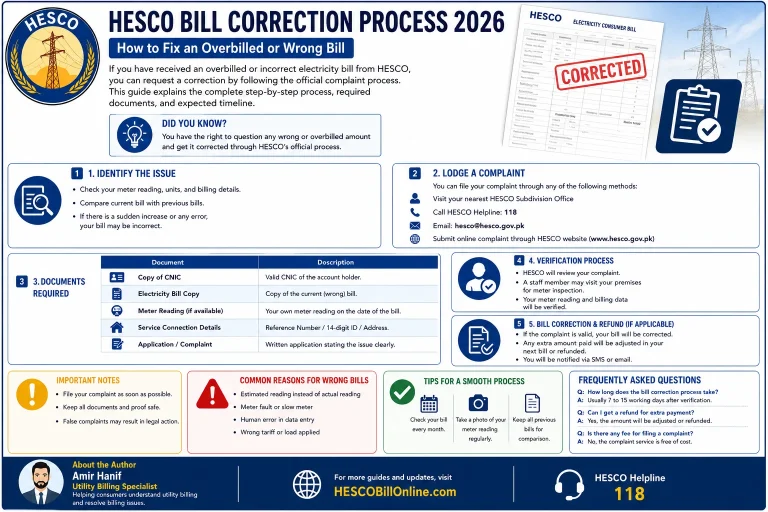
- If reconnection is delayed beyond this window, escalate through HESCO’s complaint cell or NEPRA’s consumer affairs department.
How to Get Help or File a Complaint With HESCO
If your bill remains blocked without a clear reason, or if a field team is unresponsive, you have the right to formally raise it. You can:
- Submit a written complaint at your local HESCO sub-division office, keeping a signed copy for your records.
- Reach out through the Contact Us page to get guidance on the right next step for your situation.
- Escalate unresolved cases to the National Electric Power Regulatory Authority (NEPRA), which oversees consumer rights across all DISCOs in Pakistan.
Tips to Avoid Future Bill Blocking Issues
- Pay your bill before the due date printed on the slip, not after.
- Save your 14-digit reference number on this device so it’s always on hand.
- Check your bill online a few days before the due date to catch generation delays early.
- Report meter faults immediately instead of waiting for the next cycle.
- Keep every payment receipt for at least six months as proof in case of a dispute.
Final Thoughts: Don’t Let a Blocked Bill Turn Into a Bigger Problem
A blocked HESCO bill feels alarming the first time it happens, but in almost every case it comes down to one of a handful of well-understood causes: an unpaid balance, a mismatched reference number, a delayed meter reading, or a connection that’s been physically disconnected. None of these require guesswork once you know what to check first.
The fastest path forward is always the same: verify your bill status online, identify which of the scenarios above matches your situation, and act on it directly rather than waiting for the next cycle to sort itself out. Consumers who check their bill status a few days before the due date consistently avoid the late fees, holds, and disconnections that make “blocked bill” searches spike every month across Hyderabad, Mirpurkhas, and Sukkur. Treat your reference number the same way you treat your CNIC number — keep it saved, keep it accurate, and your billing experience with HESCO stays predictable.
Key Takeaways
- “HESCO bill blocked” usually means unpaid dues, a wrong reference number, a delayed meter reading, or an active disconnection.
- Always verify your reference number before assuming there’s a system problem.
- Clearing outstanding dues resolves most blocked-bill cases without an office visit.
- Disconnected connections can typically be restored within 24–48 hours after payment.
- Duplicate bills are free to request and carry the same due date as the original.
- Unresolved issues can be escalated to NEPRA for regulatory review.
Frequently Asked Questions About HESCO Blocked Bills
Why does my HESCO bill show “no record found”? +
This is almost always caused by a mistyped or outdated reference number, or the current month’s reading hasn’t been uploaded yet. Double-check the number against your last paper bill, or use the reference number guide to confirm the correct one.
How long does it take to unblock a HESCO bill after payment? +
In most cases, the hold clears within 24 to 72 hours after payment is verified in HESCO’s system. Keep your receipt in case you need to show proof at the office.
Can I get a HESCO duplicate bill online? +
Yes. If your record exists in the system, you can search by reference number on the bill checker and download a printable duplicate bill instantly.
What should I do if HESCO disconnected my electricity? +
Pay the outstanding balance, keep the receipt, and submit a written reconnection request at your local sub-division office. Reconnection is usually completed within 24–48 hours.
Is there a fee for requesting a duplicate HESCO bill? +
No, duplicate bills are issued free of charge and reflect the same amount and due date as the original bill.
Who do I contact if my issue isn’t resolved by HESCO? +
You can escalate unresolved billing or service complaints to NEPRA, Pakistan’s electricity sector regulator, which handles consumer disputes across all distribution companies.
Check your HESCO bill in seconds
Enter your reference number and get your latest bill instantly — no office visit required.